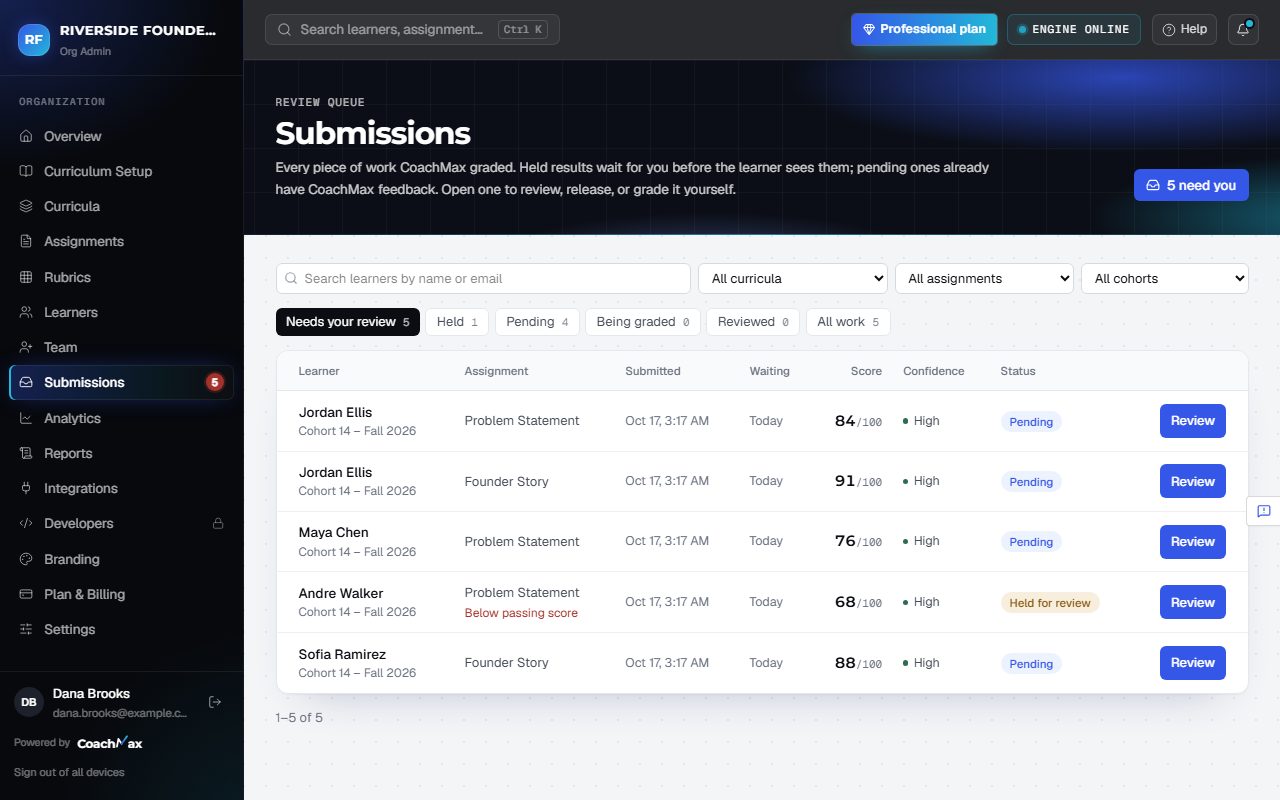
1. The tabs
- Needs your review: what's waiting for you, oldest first (2+ days in red).
- Held: results CoachMax held for a person, with the reason (below passing score, low confidence, held by assignment rules, or not assessed by CoachMax).
- Pending: results waiting for release under the assignment's rules.
- Being graded: CoachMax is grading these right now. Reviewed and All work show the rest.
2. Find something
- Filter by curriculum, cohort, or assignment, or search by name or email. Clear filters resets them.
- Each row shows Waiting, Score, and Confidence. Click Review to open it. Long lists load 25 at a time.
- A red number on Submissions in the menu shows how much is waiting. With CoachMax open, new submissions pop up on screen; when you're away, you get an email.
Still stuck? Sign in and click Help at the top right to ask CoachMax, or email support@maxuniversity.org.