1. On each assignment
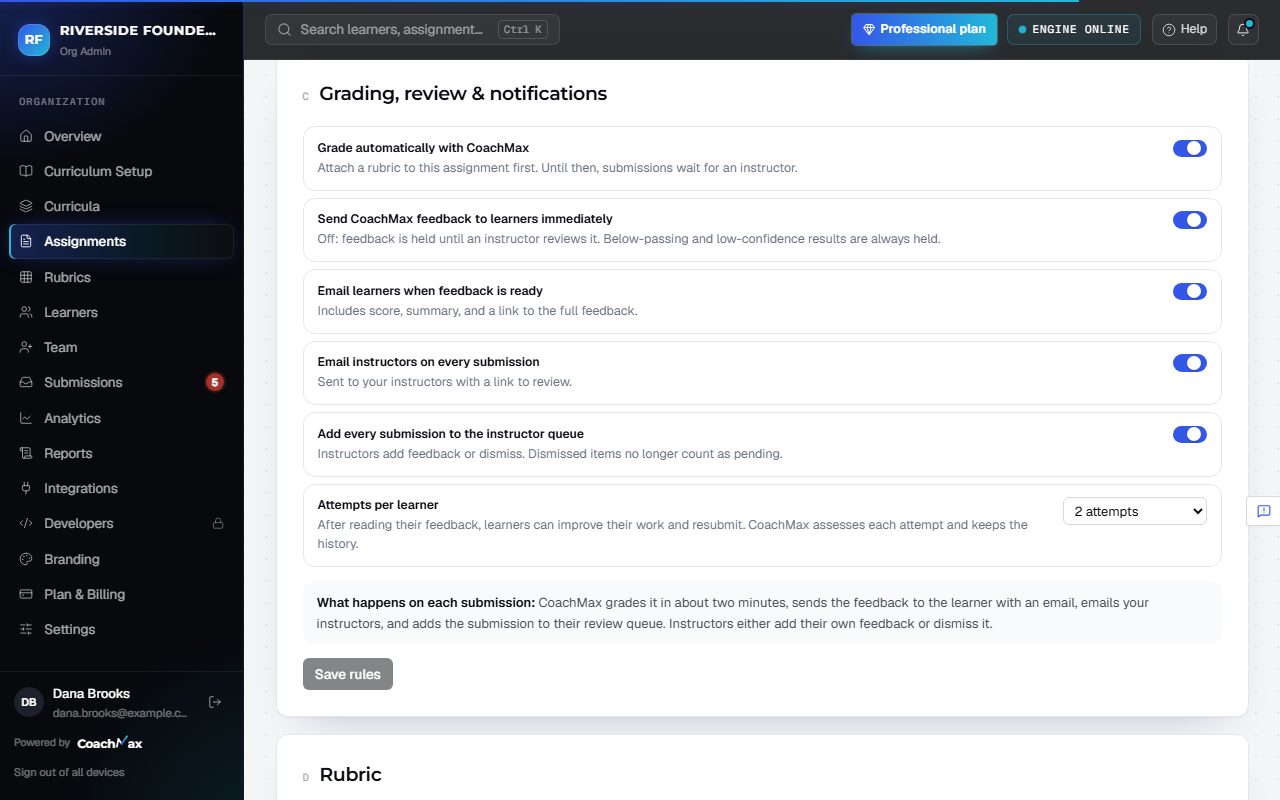
- Open the assignment and go to Grading, review & notifications.
- Grade automatically with CoachMax: CoachMax grades each submission as it arrives.
- Send CoachMax feedback to learners immediately: results go straight to learners. Turn it off to have an instructor release every result first.
- Add every submission to the instructor queue: instructors see every submission in Needs your review, not only held ones.
- Email learners when feedback is ready and Email instructors on every submission choose who's emailed.
- Set Attempts per learner (2 by default), then click Save rules.
2. Always held for a person
- Whatever the rules, results below the passing score and results CoachMax isn't confident about are held for an instructor before learners see them.
Still stuck? Sign in and click Help at the top right to ask CoachMax, or email support@maxuniversity.org.