1. Build it from what you paste
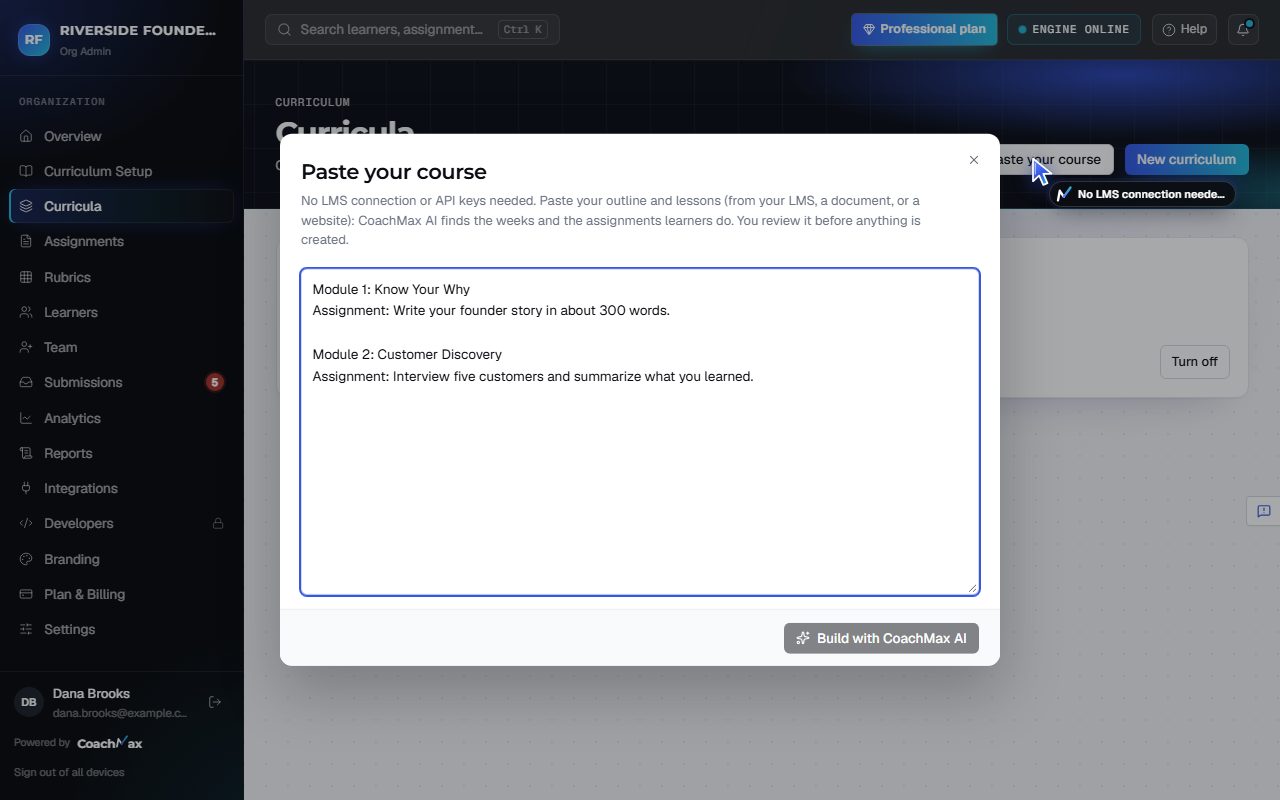
- Open Curricula and click Paste your course. No LMS connection, API keys, or paid LMS plan needed.
- Paste your course outline and lessons (from your LMS, a document, or a website), then click Build with CoachMax AI.
- Review it: rename the curriculum or any week, and untick anything learners don't submit. Then click Create Curriculum.
- Each week keeps its part of what you pasted, word for word, so Draft rubric with AI writes rubrics from your real material.
2. Then
- Give each assignment a rubric (Draft rubric with AI), and invite your learners.
- Learners submit in CoachMax, or with the Submit with CoachMax button you paste into your lessons (see Embed buttons in your LMS).
Still stuck? Sign in and click Help at the top right to ask CoachMax, or email support@maxuniversity.org.