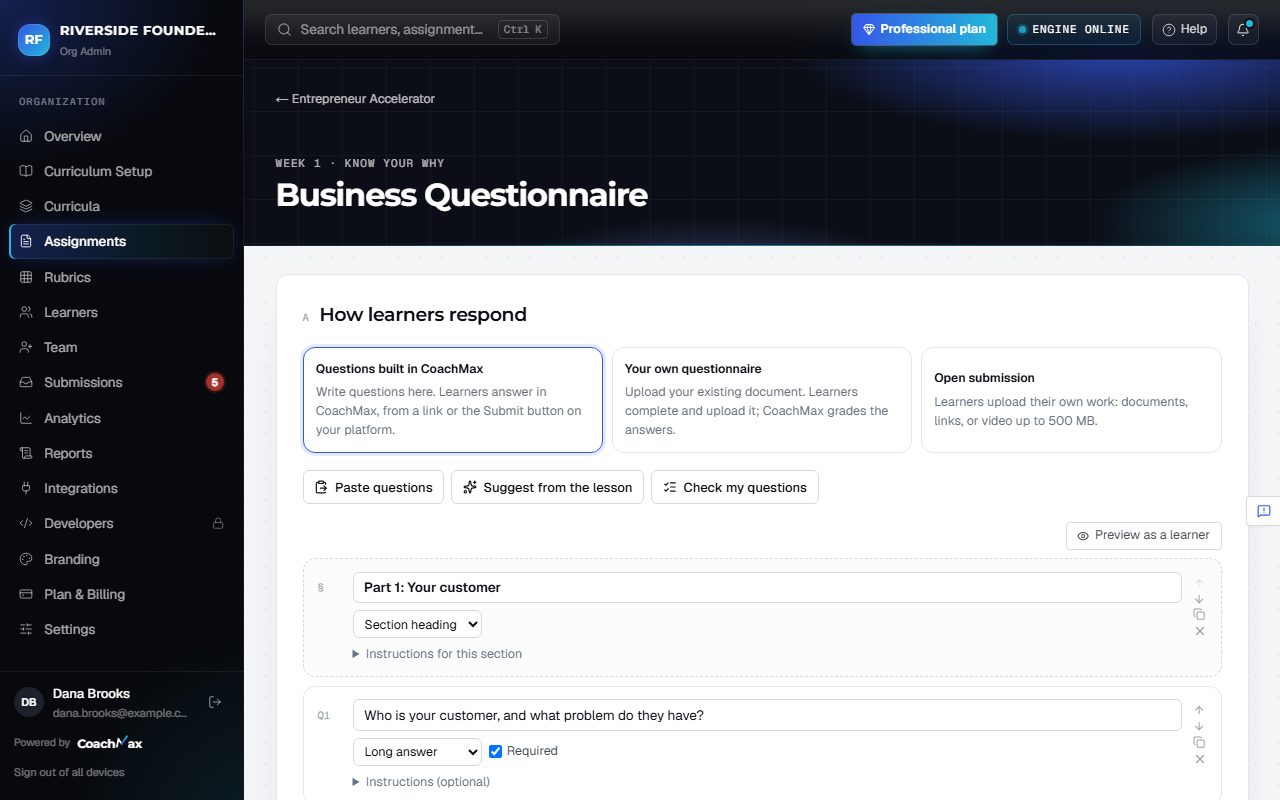
1. Pick a method
- Open an assignment and go to How learners respond.
- Questions built in CoachMax: learners answer one question at a time (see Build questions and quizzes).
- Your own questionnaire: click Upload your questionnaire (a PDF or Word document). Learners click Download the questionnaire, fill it in, and upload it. CoachMax matches answers to questions automatically.
- Open submission: choose what learners can send: PDF, DOCX, a text response, a link, or a video (up to 500 MB).
- Set a Due date (optional) and click Save.
2. Where learners submit
- Where learners submit shows the CoachMax link for this assignment, and the code to Embed on any platform. Click Copy to use either one.
- Uploaded files are virus-checked before anyone can open them.
Still stuck? Sign in and click Help at the top right to ask CoachMax, or email support@maxuniversity.org.