1. Your brand (Professional and up)
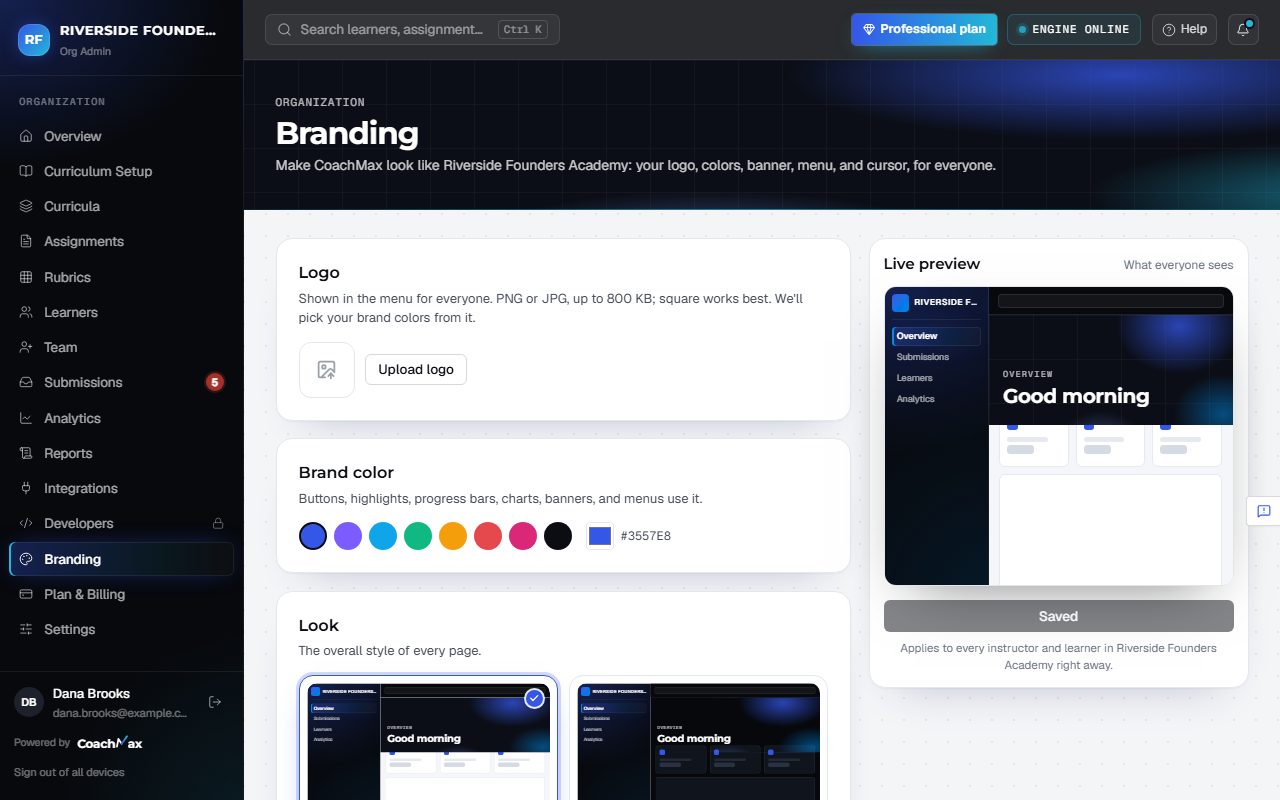
- Open Branding and click Upload logo. Click Find colors in my logo and CoachMax picks your Brand color.
- Choose the Look (Aurora or Midnight), the Banner (Aurora, Mesh, Spotlight, Waves, Gradient, or Your image), the Left menu (Dark, Brand tint, Glass, Brand gradient, or Light), and the Cursor.
- The Live preview shows exactly what everyone will see. Click Save branding to apply it to your whole organization.
- Your logo and brand color also appear on PDF feedback reports. Enterprise can show the logo in the top bar too (Your logo in the top bar).
Still stuck? Sign in and click Help at the top right to ask CoachMax, or email support@maxuniversity.org.