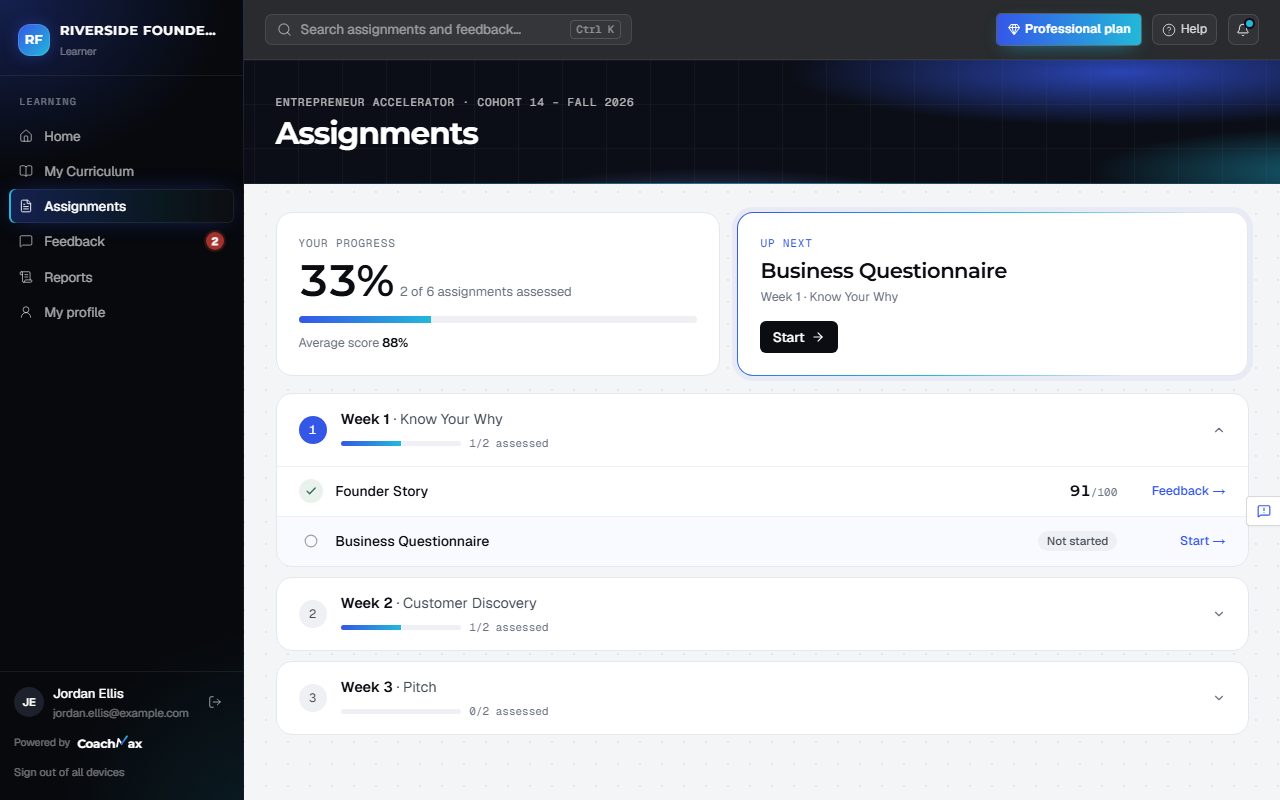
1. Find what to do next
- Open Assignments: Your progress is at the top, then Up next (the one thing to do now), then every assignment by week.
2. Answer and submit
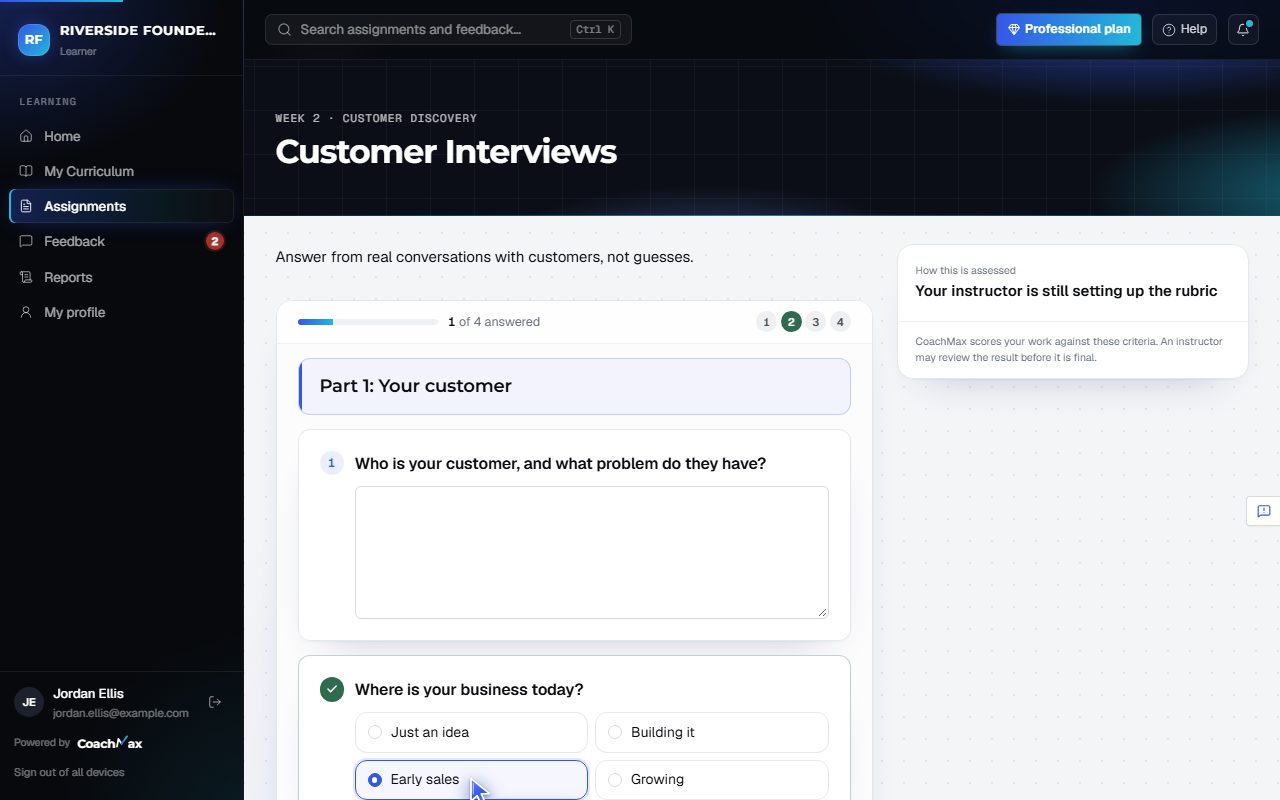
- Answer each question (a progress bar and numbered dots show where you are; click a number to jump to it), Write response, Upload files, or Add link, depending on the assignment.
- How this is assessed shows the rubric your work is graded with.
- Files: PDF or Word (up to 25 MB), a photo or screenshot (PNG or JPG, up to 5 MB), or a video (MP4, MOV, or WebM, up to 500 MB).
- Your draft saves as you go, or click Save draft. Click Submit for assessment when you're ready.
- CoachMax assesses it, usually in about two minutes, and a live card shows each step. You can leave the page; we email you when it's ready.
Still stuck? Sign in and click Help at the top right to ask CoachMax, or email support@maxuniversity.org.